Product Update - March 2026


Introduction
IncidentHub's latest product updates focus on improving the public status page, adding integrations with ticketing systems, private status page ingestion, and making the notifications more useful to the end user. Some of these improvements are driven by user feedback.
Feedback is what makes the product better, and I am personally grateful to all our customers who have shared their feedback with us.
- Introduction
- Maintenance Widget on the Status Page
- Private Status Page Ingestion
- Ticketing Systems Integration - BoldDesk and Freshdesk
- Notification Improvements
- Making it Easier to Debug Webhook Errors
- More Services
Maintenance Widget on the Status Page
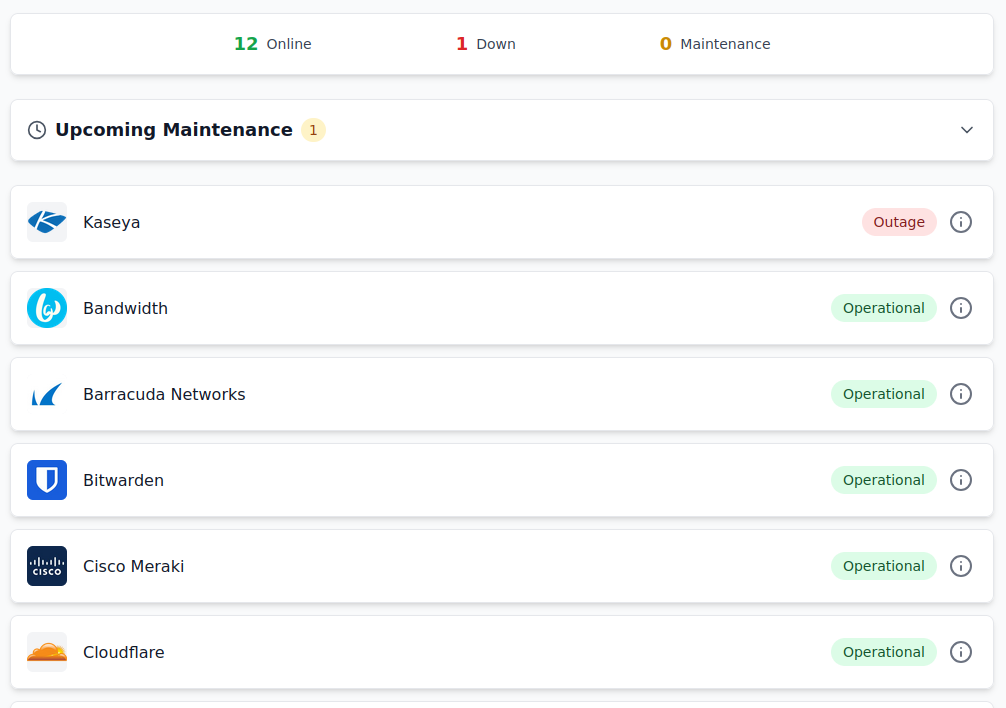
Your public status page now has a maintenance widget that shows your upcoming maintenance. It shows up at the top and you can see at a glance how many such events are scheduled. Like all other user facing dashboards and notifications in IncidentHub, the events are always filtered based on your component filters.
By default it's collapsed. You can click on it to expand it and see the details of the maintenance events.
Expanded view:
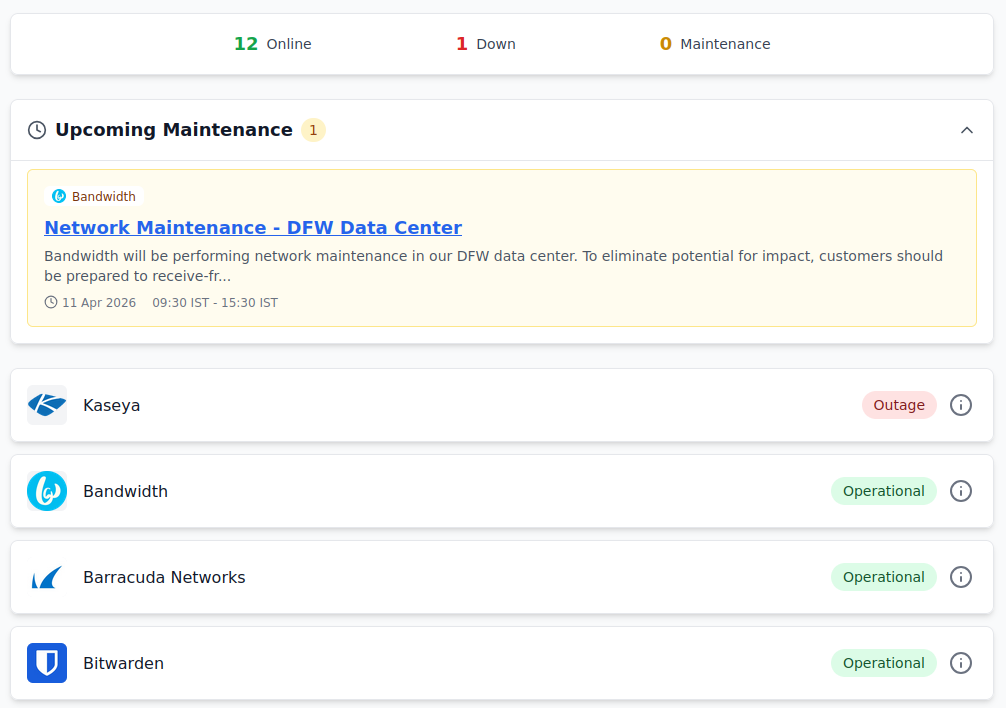
Note that the top summary bar shows the count of outages and ongoing maintenances, whereas the new collapsible widget shows your upcoming maintenances. Planning for upcoming maintenance in your cloud providers is crucial for your business continuity planning.
IncidentHub's Component Filtering Philosophy
You configure component filters once - and that reflects across all your dashboards, public status pages, Slack/MSTeams/Email notifications, ticketing systems, and historical trends graphs.
This prevents unnecessary alerts and outage indicators in your dashboards and notification channels.
Private Status Page Ingestion
You can now ingest status data from private status pages. Your cloud provider might give you an SSO-protected URL to access your private status page since the services are specific to your account. This is a powerful feature that allows you to track the status of your internal services and applications.
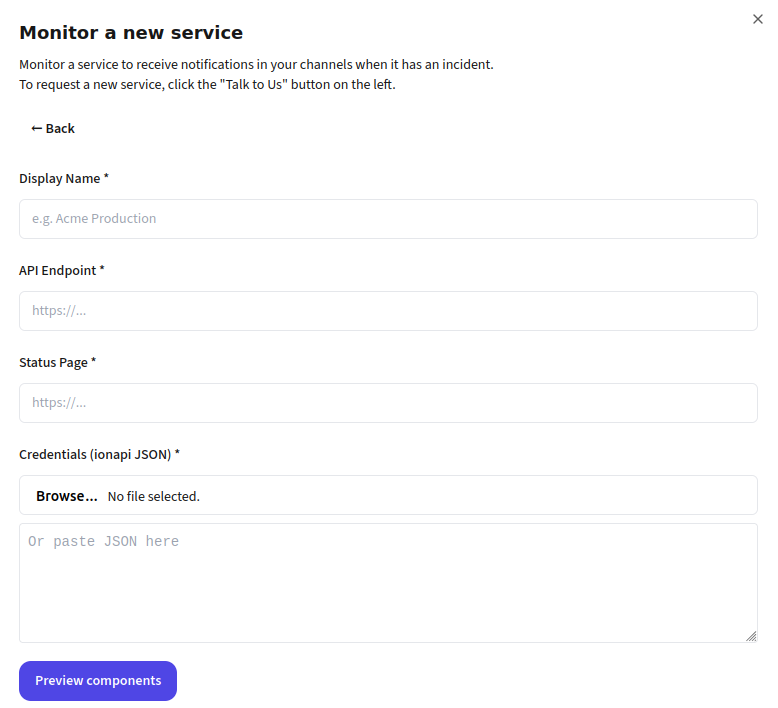
As of this writing IncidentHub supports private data ingestion from Infor CloudSuite. We will be adding support for more services in the future.
Ticketing Systems Integration - BoldDesk and Freshdesk
Adding to our basket of ticketing system integrations which included Zendesk, we now support BoldDesk and Freshdesk too.
Ticketing systems notifications for third-party outages help your customer facing teams to stay on top of third-party outages and provide timely updates to your customers without surrendering to noise.
The key difference between ticketing systems and other notification channels is that IncidentHub sends only the trigger (start) event for any outage to ticketing system irrespective of your notification settings. It does not send notifications for ongoing or future maintenances, or for intermediate outage updates including resolution. This is to reduce noise for your support teams.
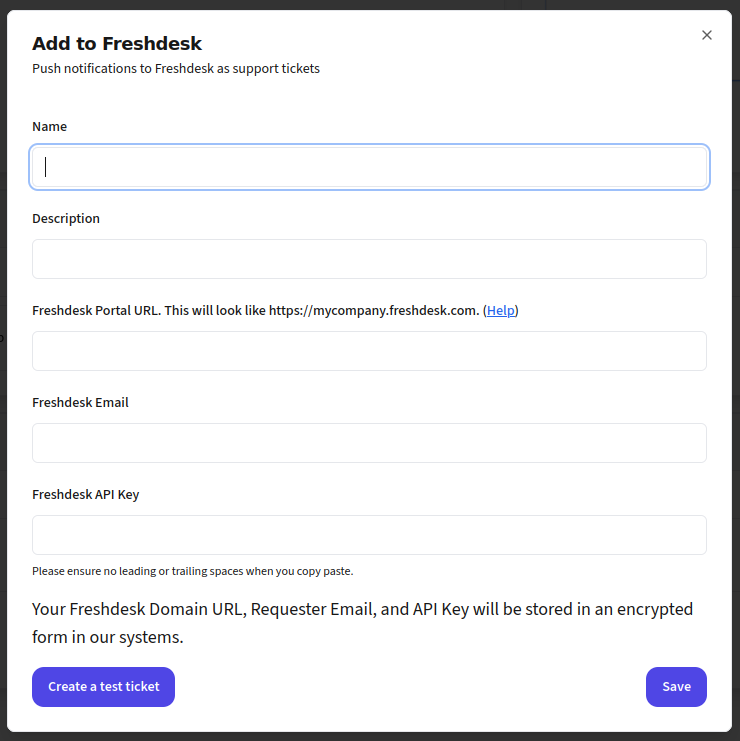
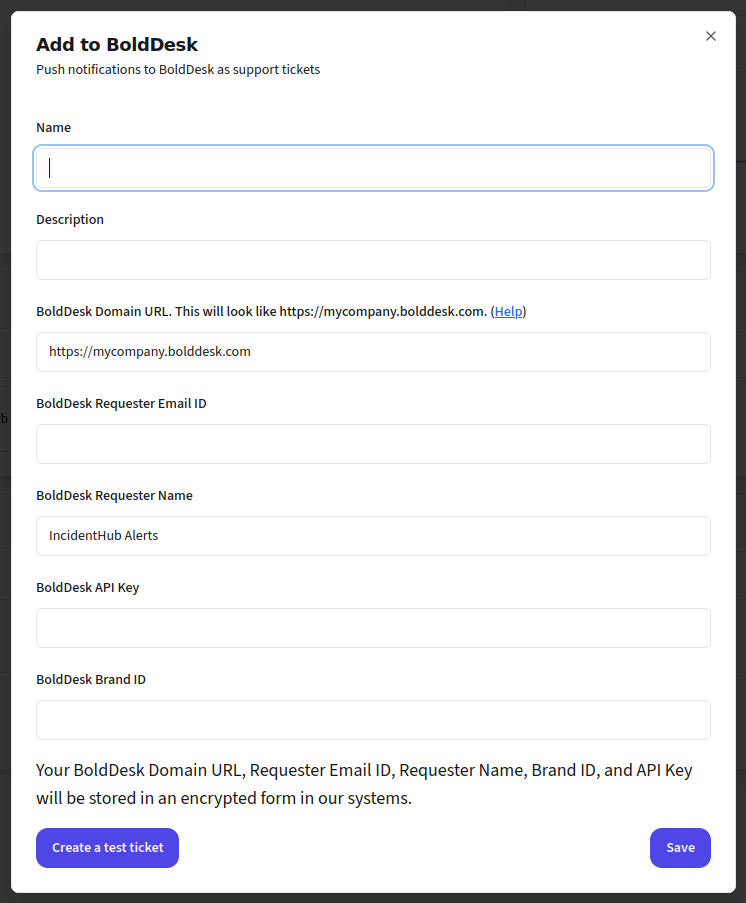
These are part of our upcoming Premium tier which is planned to be publicly available soon but they are already available to some of our customers on an invite-only basis.
Notification Improvements
Choosing specific components in your monitored services is the way to avoid irrelevant alerts. Outages and maintenances are filtered against your component filters and only the matched notifications are sent. If the outage/maintenance has other components also in addition to your selected ones, they will show up too in the notification. This can sometimes be confusing for the end user.
We have tweaked the notifications experience slightly so that your chosen components bubble up to the top of the alert.
E.g. if you choose Cloudflare Worker and Pages in Cloudflare, and an outage occurs which affects Workers, Pages, and Workers Builds, you will see Workers and Pages at the top of the alert.
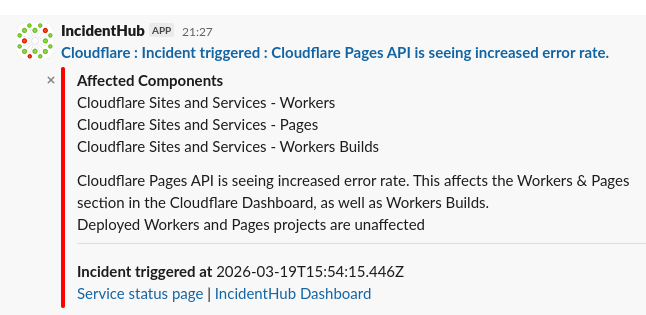
This is automatically done for all notification channels.
We are always eager to improving this further. Please let us know if you have any feedback on this using our support email address.
Making it Easier to Debug Webhook Errors
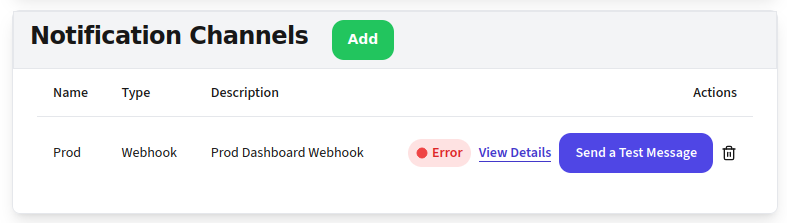
Currently, if you have a webhook integration with IncidentHub, and there is an error in the webhhook, IncidentHub sends out a notification email to the account owner. While this is helpful as a notification, it does not help when you are debugging the integration. You can use the Test button to send a test alert - but if it fails, until now, there was no clear message on what went wrong.
Based on user feedback, we have added the ability to see the actual error. This happens in two cases:
- When you click "Send a test message" it will show you the error message in the popup.
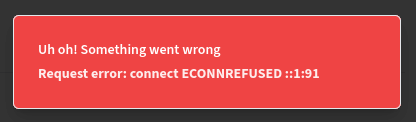
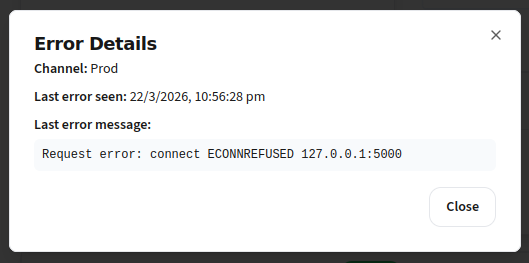
- When the webhook has failed previously in the background while trying to send notifications, there will be a red indicator with a "View Details" next to the webhook.
It will show the last seen failure message and the log time.
More Services
We have added support for more services including telecom providers, electricity/utility companies, crypto exchanges, and MSP tools. This adds to our constantly growing list of supported services.
IncidentHub is not affiliated with any of the services and vendors mentioned in this article. All the logos and company names are trademarks or registered trademarks of their respective holders
This article was first published on the IncidentHub blog.